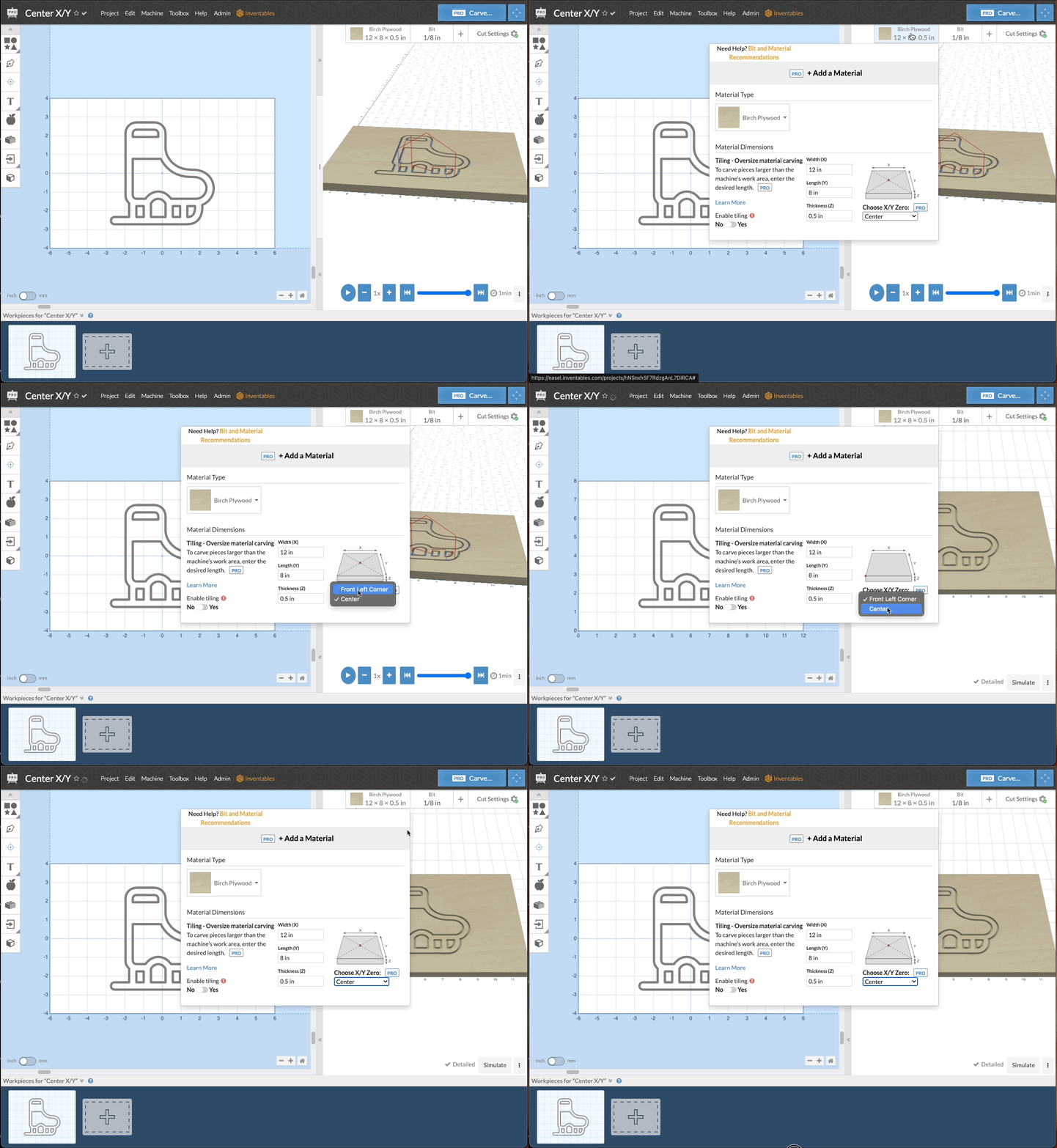
Easel Pro is now easier to align your designs to your material! You are now able to set your X/Y zero location in either the front left corner of the material or the center of the material.
Until now, to make sure your design would carve in the center of the material and to set the carve to the center, you had to use a complex workaround by moving your design into negative space. Now it is as easy as clicking a button in the material menu.
For easy centered carves: - Make sure your design is centered to the material - Change the X/Y from Front Left Corner to Center in the Material Menu dropdown - Notice that the grid changes values - Notice that toolpaths start and stop in the center of the material - Machine Parking is compatible with X/Y center carves - Tiling must be done with X/Y center in the Front Left Corner
Overview Animation for Carving from center
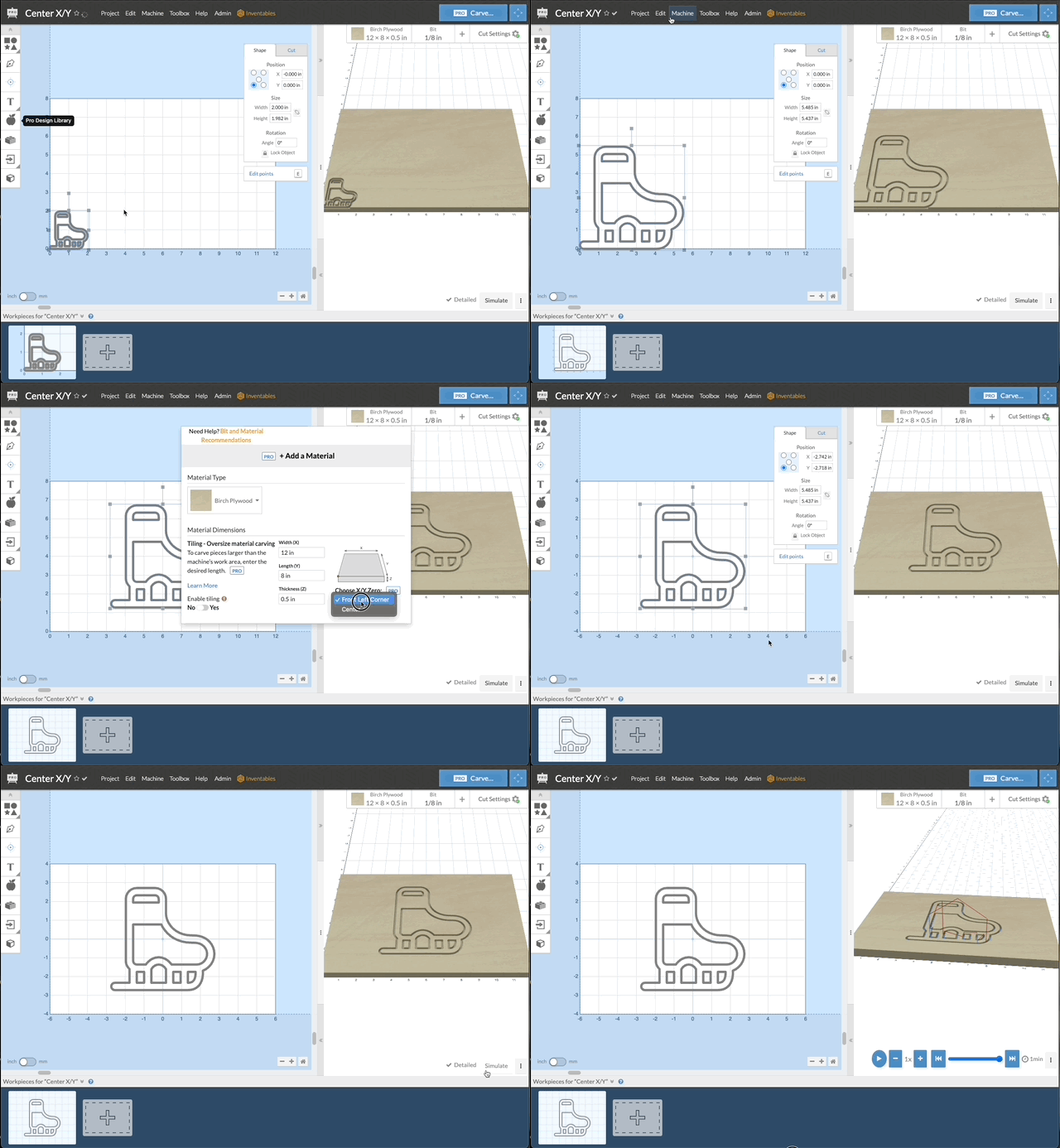
Animation which shows the grid change in the design pane
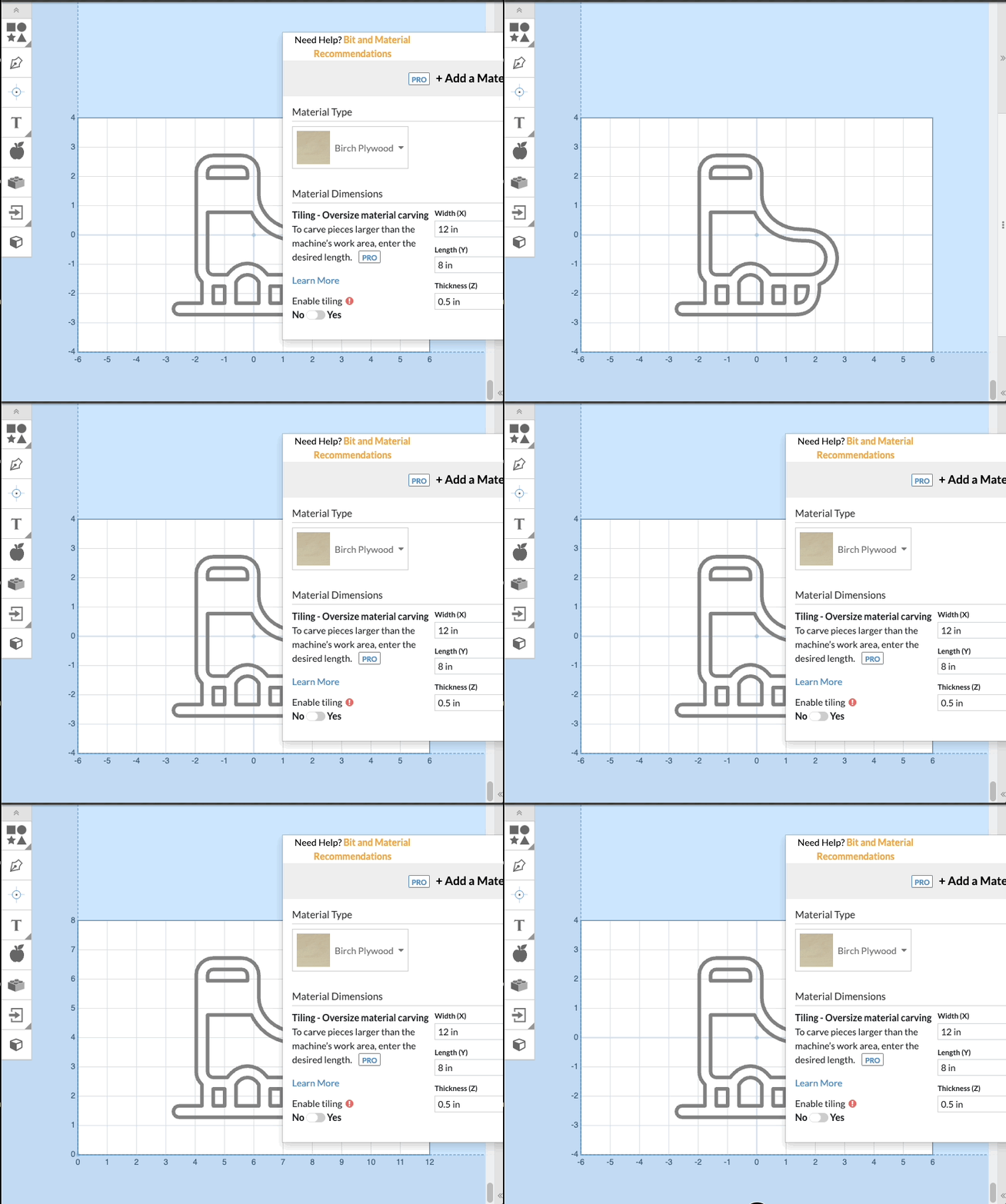
Animation which shows how to change from Front Left Corner to Center in Material Pane