Easel Generate
Describe it. Carve it.
Easel Generate turns a plain description into a design you can bring straight into your project. Choose 2D or 3D, write what you want, and generate. It works with any Easel plan, including Basic.
A separate monthly add-on. Choose a token plan below.
From idea to project
Make vectors. Make reliefs. Make them your own.
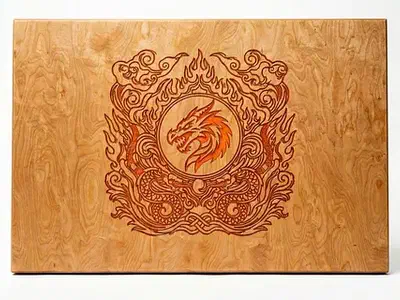

2D designs
Signs, logos, silhouettes, and line art. You get vector artwork you can edit, resize, and carve like any other Easel shape.
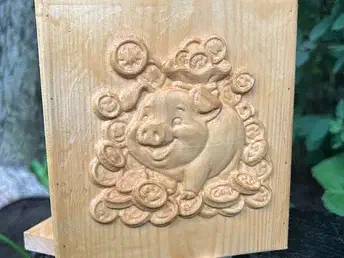
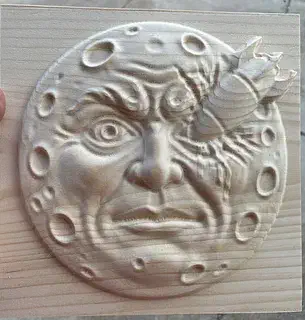
3D designs
Starting from an image or text create a bas relief model for 3D carving. Easel Generate builds the design and turns it into a carvable relief.
How it works
Open it
Easel Generate lives in the Easel toolbar under the magic wand icon.
Pick 2D or 3D
The button shows how many tokens the generation uses before you commit.
Describe what you want
Subject, style, and any details that matter. For 3D you can upload a reference image instead of writing a description.
Import and carve
Not quite right? Iterate. Happy with it? Bring it into your project and start carving.
Review the size, detail and toolpath before cutting. Try detailed designs in scrap material first. Read the prompt and carving tips →
Monthly subscription
Choose your Easel Generate plan.
Add Generate to Basic, Starter or Pro. Your Easel plan and your Generate subscription are separate.
Generate 30
30 tokens a month
$8/month
Generate 60
60 tokens a month
$12/month
Generate 120
120 tokens a month
$20/month
Add Easel Generate from your Account page. It bills separately from your Easel plan, and changing or cancelling one does not affect the other. Prices in USD, plus sales tax where it applies.
Generating 3D works on any plan. Carving a 3D design in Easel requires Easel Pro.
You can export your 3D STL designs to use elsewhere without Pro. Compare Easel plans →
Worth knowing
- Every generation and every iteration uses tokens.
- Tokens reset each month and do not roll over.
- Generative results vary. Iterating is a normal part of the process.
Questions about billing or your allowance? Read how tokens work →