We use cookies to personalize content, interact with our analytics companies, advertising networks and cooperatives, and demographic companies, provide social media features, and to analyze our traffic. Our social media, advertising and analytics partners may combine it with other information that you’ve provided to them or that they’ve collected from your use of their services. Learn more.
to cut out make sure you set depth in the cut section.
Comments
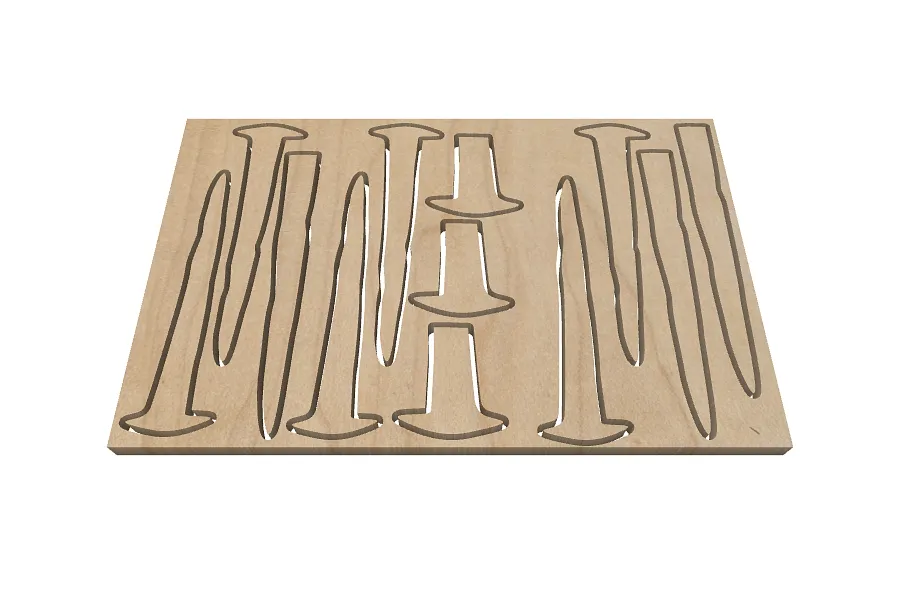
I am trying to do a batch of spikes. it will cut the first one but stops after the first spike. Any suggestions of why it is only cutting one and how to fix it?
Does it always stop in exactly the same place? When it stops does it return to home and show the "Carve complete" screen, or does it the machine stop where it is? Which workpiece does this happen on? I see one workpiece with only one spike.
It does stop in the place it began to carve. It does not return to home. It does show a page like the complete page but not like I have seen before. It makes the first spike and then ends cutting. I copied and pasted the rest of the spikes to another page on the bottom of Easel. It cut the second spike and then ended also.
What kind of machine do you have? When the "carve complete" page comes up, does it show troubleshooting tips? Does it have a button to submit an error report? Easel shows tool paths being generated for every object so my guess is it's a hardware issue of some kind.
Genmitsu 4040-PRO MAX. It's not really carved complete page, but it does have troubleshooting tips, but they didn't help. I am not sure about the error report.
If it is stopping exactly where it starts carving then it could actually be a Z limit issue like @Corey Schroeder suggested. It might be about to start a new pass that is too deep.

Comments
I am trying to do a batch of spikes. it will cut the first one but stops after the first spike. Any suggestions of why it is only cutting one and how to fix it?
Robert DuBoisPro · July 29, 2026
Does it always stop in exactly the same place? When it stops does it return to home and show the "Carve complete" screen, or does it the machine stop where it is? Which workpiece does this happen on? I see one workpiece with only one spike.
Jeff TalbotPro · July 30, 2026
It does stop in the place it began to carve. It does not return to home. It does show a page like the complete page but not like I have seen before. It makes the first spike and then ends cutting. I copied and pasted the rest of the spikes to another page on the bottom of Easel. It cut the second spike and then ended also.
Robert DuBoisPro · July 30, 2026
Is it faulting out for Z limit maybe?
Corey SchroederPro · July 30, 2026
That was it. I didn't set the cut depth. Thank you for your help.
Robert DuBoisPro · July 30, 2026
I thought it was to stop if it reaches its limit?
Robert DuBoisPro · July 30, 2026
What kind of machine do you have? When the "carve complete" page comes up, does it show troubleshooting tips? Does it have a button to submit an error report? Easel shows tool paths being generated for every object so my guess is it's a hardware issue of some kind.
Jeff TalbotPro · July 30, 2026
Genmitsu 4040-PRO MAX. It's not really carved complete page, but it does have troubleshooting tips, but they didn't help. I am not sure about the error report.
Robert DuBoisPro · July 30, 2026
If it is stopping exactly where it starts carving then it could actually be a Z limit issue like @Corey Schroeder suggested. It might be about to start a new pass that is too deep.
Jeff TalbotPro · July 30, 2026 · edited
He was right. Thanks for your help.
Robert DuBoisPro · July 30, 2026
Thanks I am going to try it now
Robert DuBoisPro · July 30, 2026