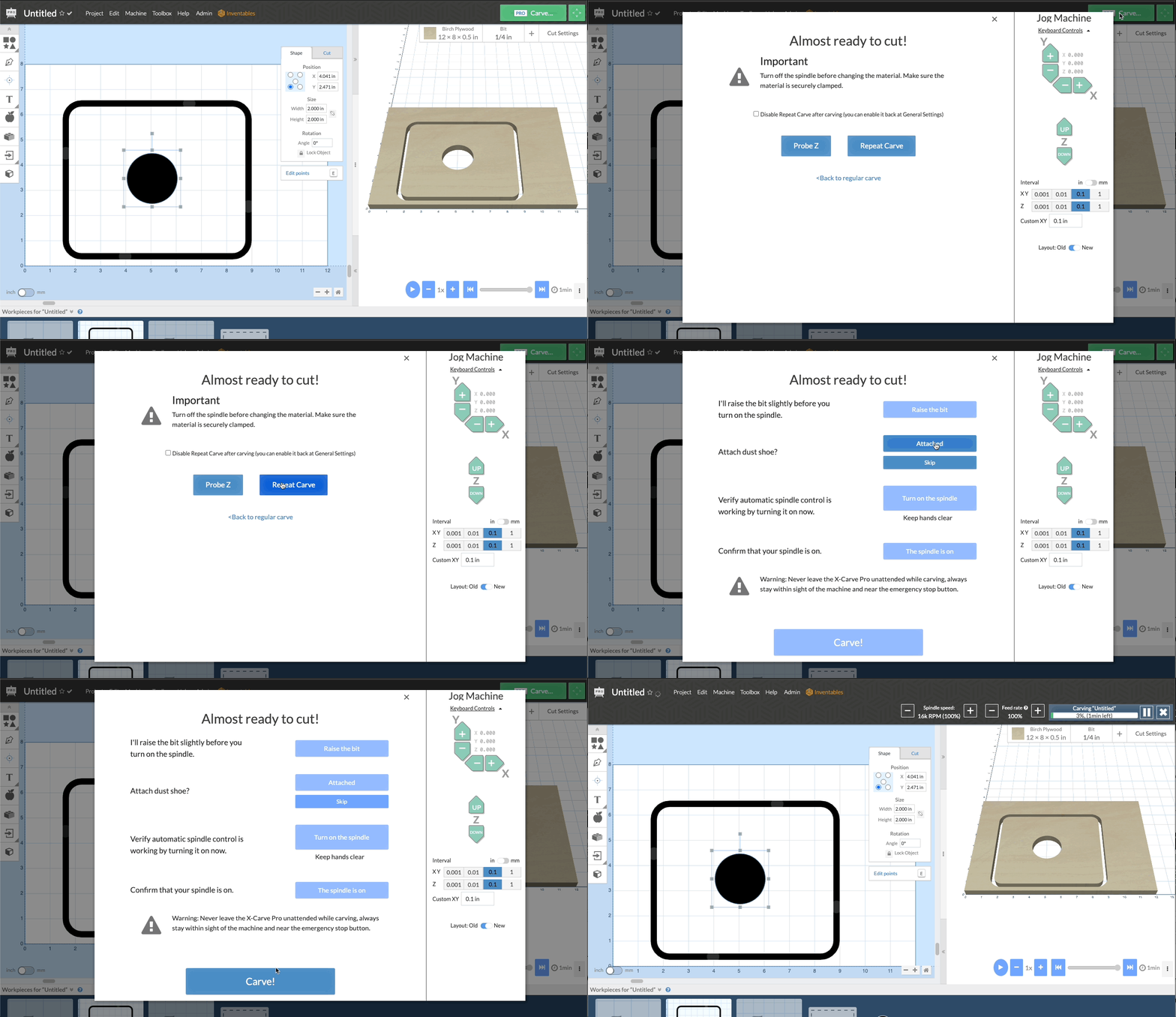
This is a workflow improvement that can have a major impact on repeated carvings. Now by enabling repeat carving under General Settings you can skip the zeroing and material positioning for any carve you plan to do multiple times in a row using the same position and bit.
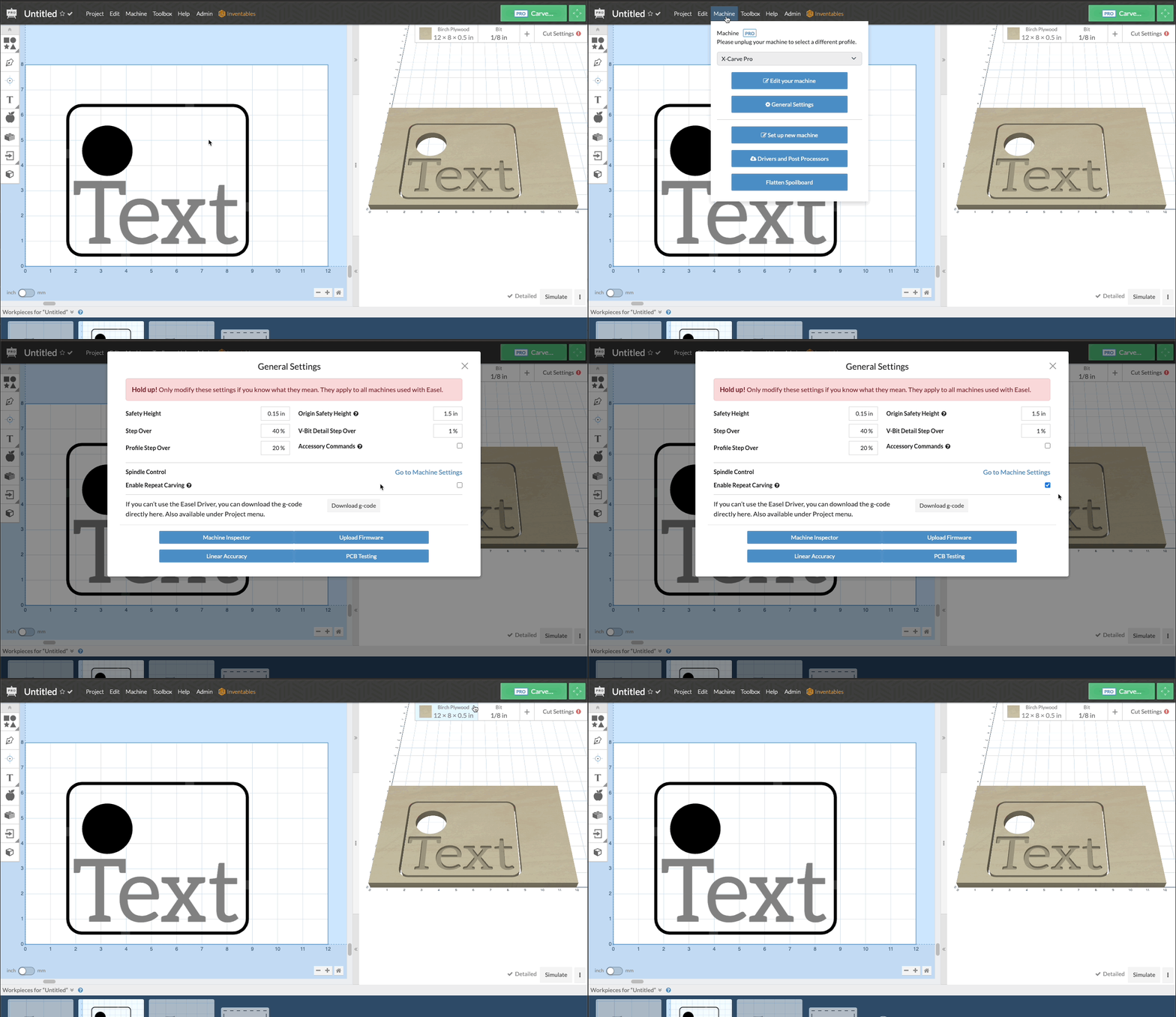
How to use Repeat Carving:
- Go to Machine menu, and general settings.
- Click the checkbox to enable repeat carving
- Do your first carve with the normal walk through and setup
- When your first carve is finished, any subsequent carves will offer you the option to repeat carve
- You can re-probe your Z axis if needed, or just skip right to the carve.
Machine Parking combined with Repeat Carve makes for much improved production of multiples of the same product.
Overview Animation
Repeat Carve in the Walk Through