The Toolbox now carries bits from CIC Workshop, SainSmart Genmitsu, and Sienci Labs, alongside fresh additions to the Bits & Bits, SpeTool, and IDC Woodcraft catalogs. That takes the catalog from 730 to 982 bits, each with the vendor's own specs, photo, and a link to the product page, so you can add the exact bit on your bench and let Easel fill in the geometry.
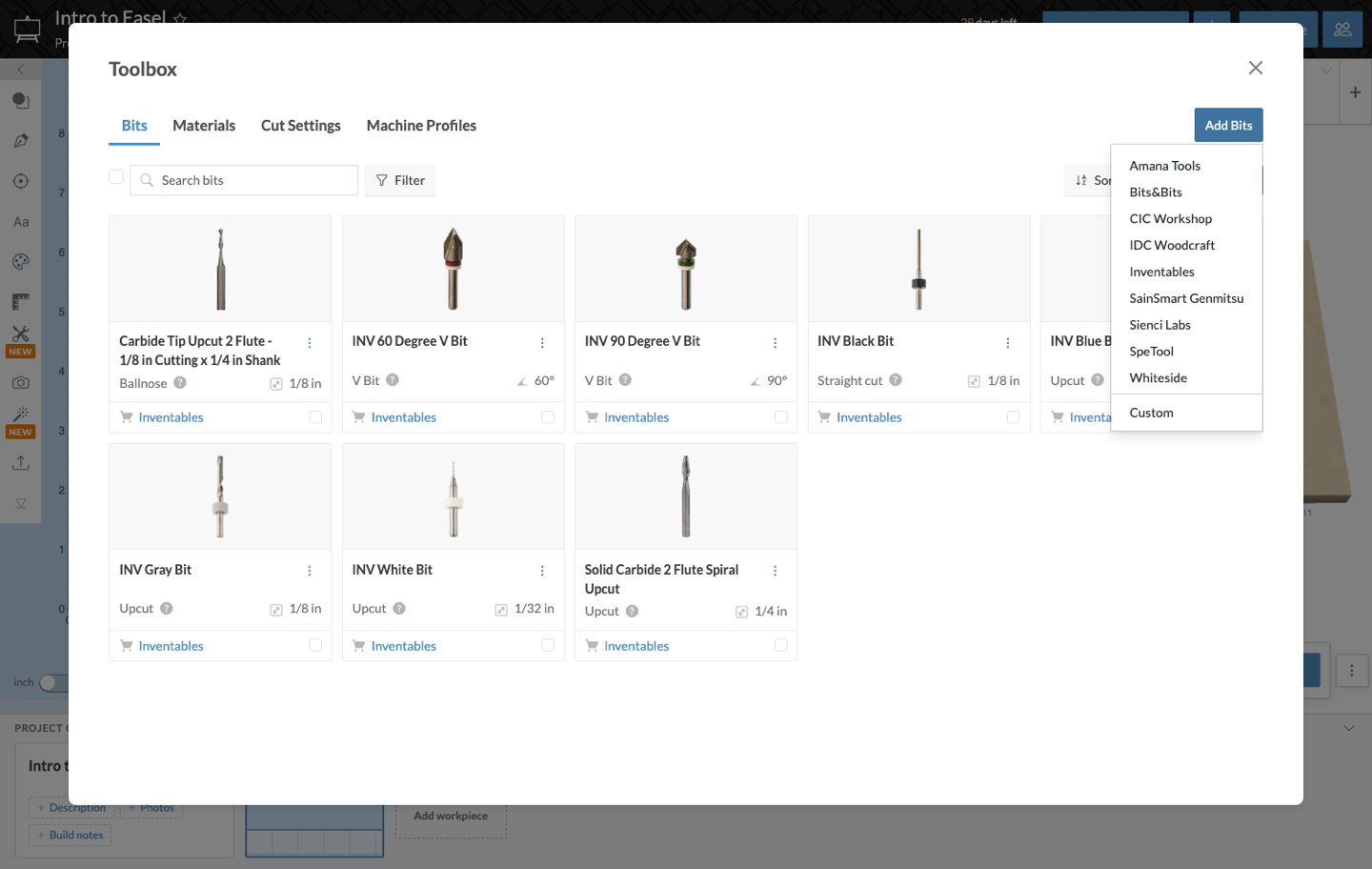
How to add a vendor's bits
- Open the Toolbox from the bit menu in the cut settings panel.
- Click Add Bits and pick a vendor.
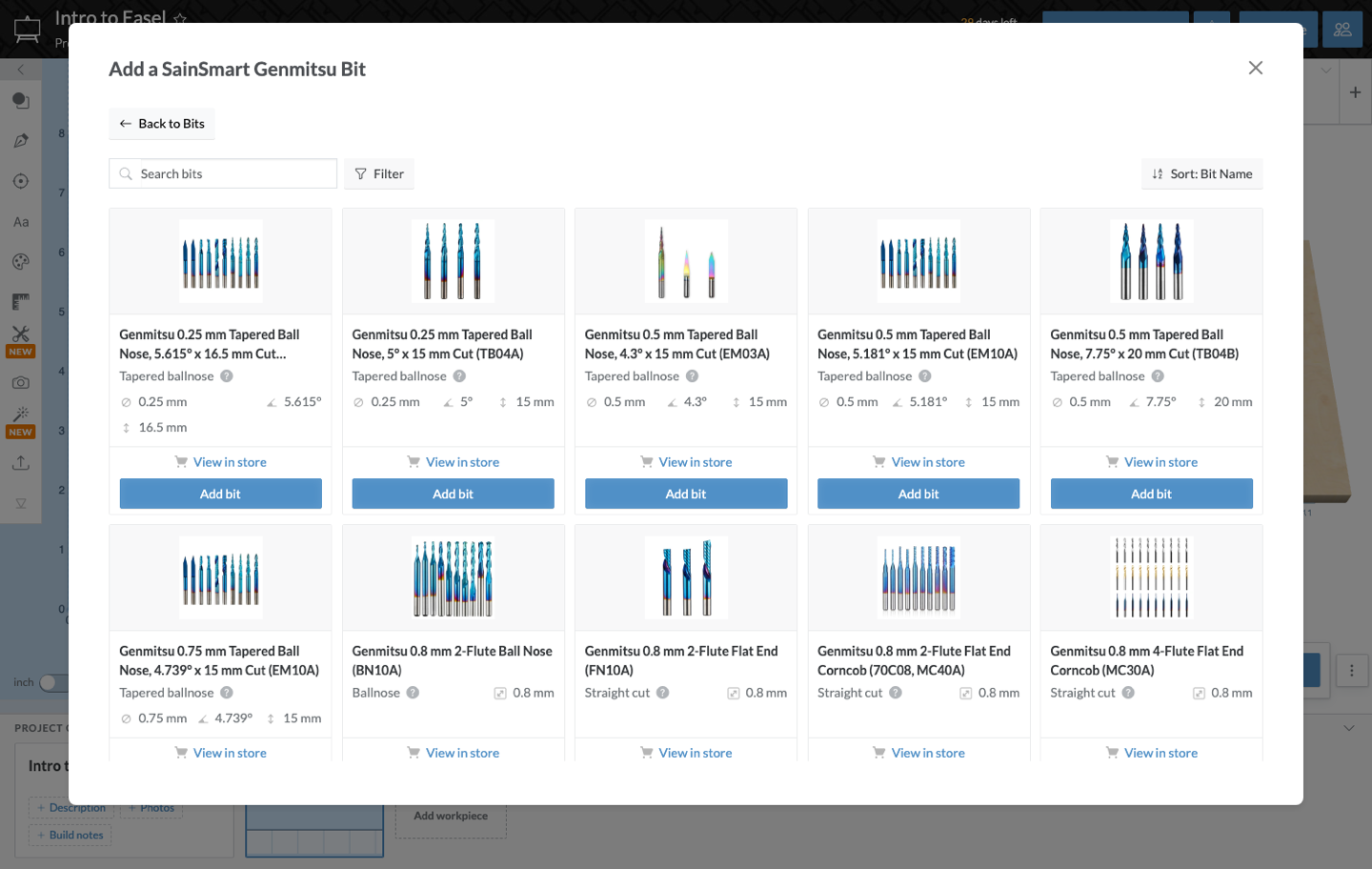
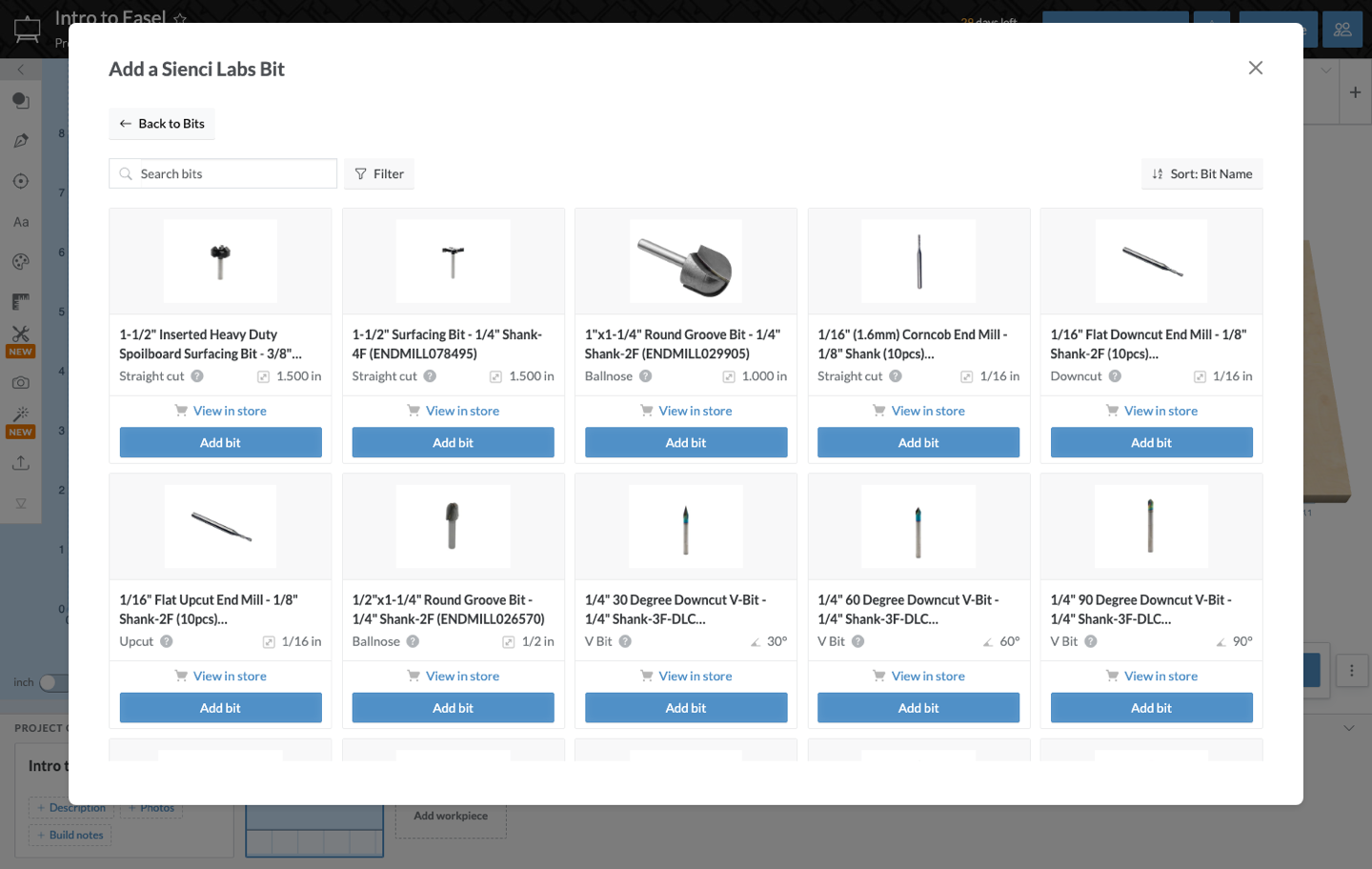
- Browse or search the catalog and add the bits you own. Each one lands in your Toolbox with its diameter, flutes, and cutting geometry already set.
What's new
- CIC Workshop joins with 37 bits.
- SainSmart Genmitsu joins with 133 bits.
- Sienci Labs joins with 47 bits from the Sienci store.
- Bits & Bits adds its Astra-coated Whiteside bits, for 67 bits in all.
- SpeTool grows to 170 bits.
- IDC Woodcraft grows to 73 bits.
- Drill bits are in the catalogs for the first time, filed under the new Drill group so they are easy to find when you are adding drill holes.
Good to know
- Bits you have already added to your Toolbox are untouched. The new catalogs only add choices.
- Catalog bits still take custom cut settings, so you can tune feeds and speeds per bit and material the same as before.
- If a bit you own is not in its vendor's catalog, Add Custom Bit still lets you enter it by hand.