Make clamps that fit your CNC

Design a wooden hold-down in Easel, with a long slot to adjust its reach and a rear hole for a leveling screw.

Explore the clamp designs

Start from a blank workpiece

Draw a clamp body, adjustment slot and insert hole

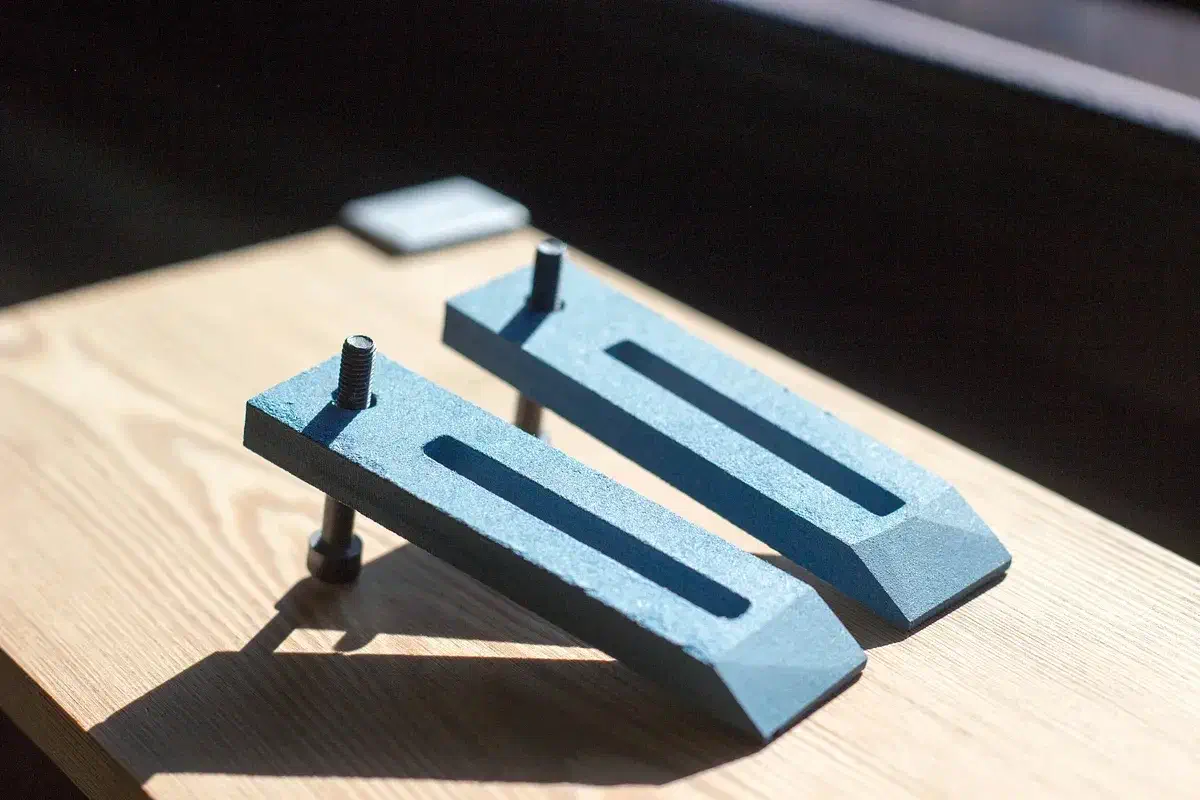
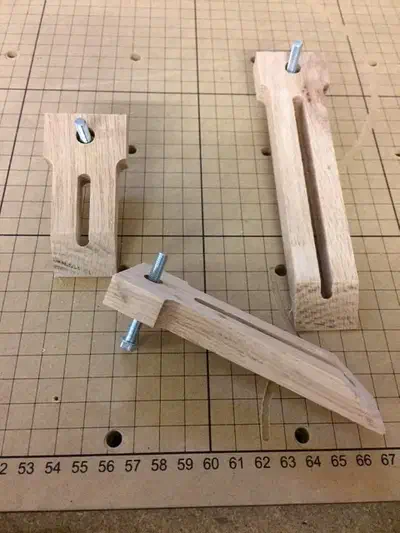
Make a wooden hold-down for your CNC, using colored MDF like Paul Kaplan’s clamp set. The M5 threaded insert and two screws are separate hardware, not parts you carve. In Easel, first draw the 4½ × 1¼-inch body. Next add a 2¼ × 0.3-inch through slot so the clamp can slide toward the board, then a ¼-inch rear hole for the insert. The screw in the rear insert supports the heel on the wasteboard; the screw through the slot pulls the nose down onto the board. Open Paul Kaplan’s DIY Clamp Set project for his insert-and-screw assembly instructions. Match the stock setting to your sheet before carving; Paul used 3/8-inch MDF, while the recording starts at 0.32 inches. Remove the holding tabs after cutting.

Recorded in the Easel editor, playing at 3× real speed.

Press from above or keep the top of the board clear

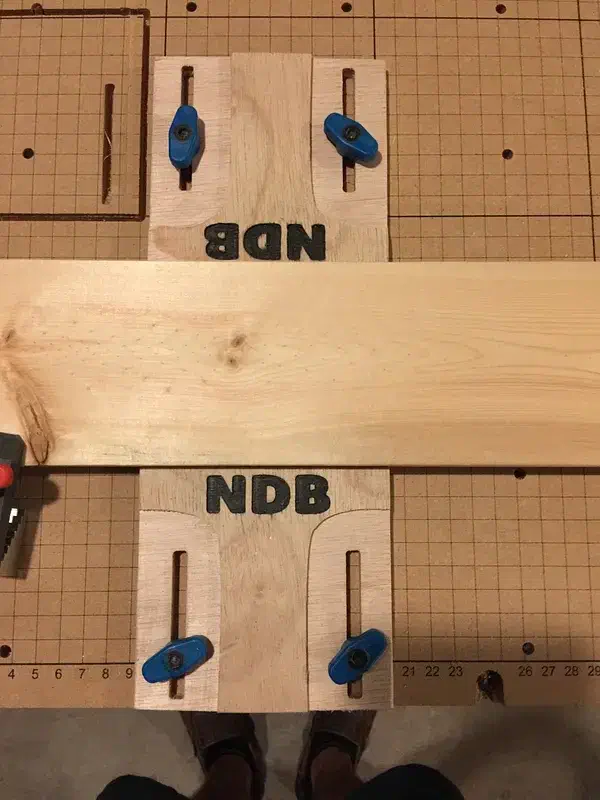
The shared files supply wooden parts, not the bolts, inserts or wasteboard. Oak and MDF hold-downs press on the board from above; plywood side clamps grip its edges and leave the top clear for carving.

See more clamp search results →

A fixed corner, a sanded nose and machine-specific spacing

Log in to post a question in the project discussion; replies are not guaranteed.

Give the cam a fixed corner to push against

Adam Simmons suggests making an L bracket near the home point and using the cams to push the board into it, rather than using four cams together.

Comment by Adam Simmons: read the source.

From Yet Another Set of Cam Clamps by Jonas Karlsson.

Ask a question

The low nose can be shaped after carving

Paul Kaplan says he added the sloping nose on a belt sander after carving. His project instructions explain that this lower profile makes it easier to keep the bit from hitting the part of the clamp over the material.

Comment by Paul Kaplan: read the source.

From DIY Clamp Set by Paul Kaplan.

Ask a question

Do not carry hole spacing from one machine to another

Matt Slaga reports using this fixture on both the original 4 × 2-foot X-Carve Pro wasteboard and the newer 2 × 2-foot Pro T-slot wasteboard. He says those Pro boards share hole dimensions, but the original X-Carve does not.

Comment by Matt Slaga: read the source.

From Square and L Clamp, XCP w/ Countersunk holes by Matt Slaga.

Ask a question

Draw a clamp for your own machine

Measure from your wasteboard’s mounting hole to the edge of the board you want to hold, then give the clamp’s adjustment slot enough travel to reach it.