 Chicago Skylineby Jeff Talbot
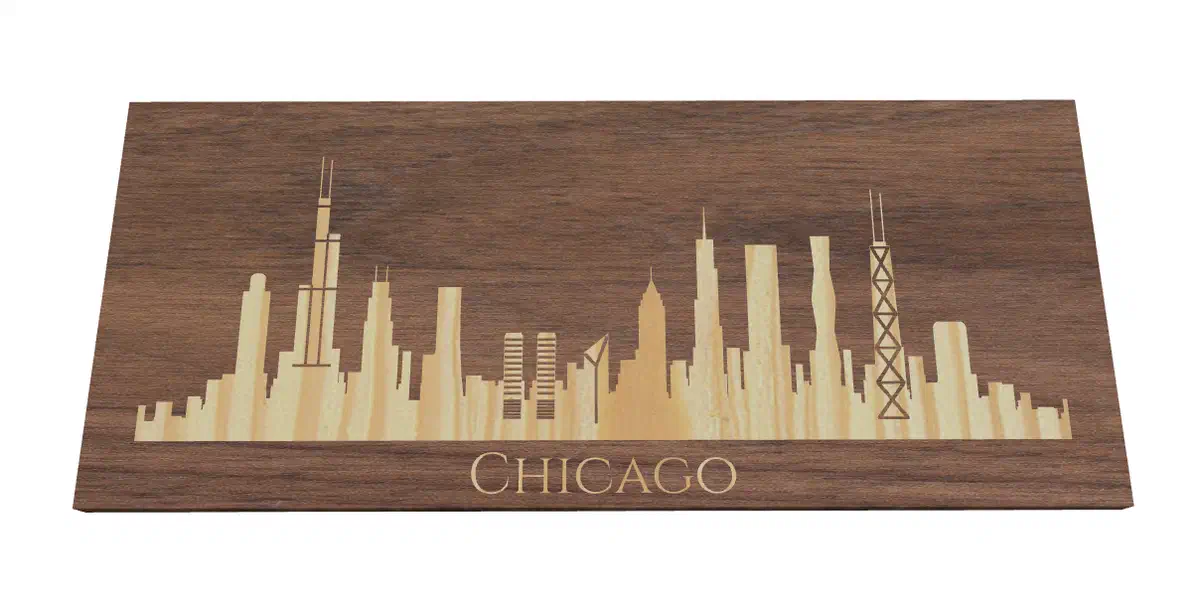
Chicago skyline sign
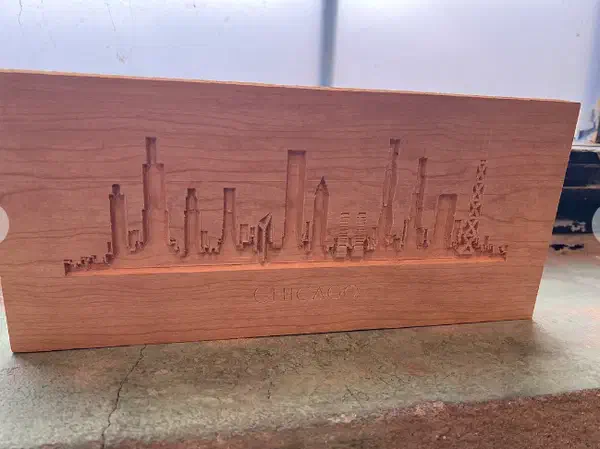
A finished 1/2-inch cherry sign carved on an X-Carve Pro. Jeff says he created the skyline with the City Skyline app.
A city skyline project you can make your own
Make a city sign, silhouette, or inlay for your wall or desk. Browse real Easel projects for ideas, or choose a city and view in the City Skyline app to create a design sized to your material.
Creating an Easel account is free. No credit card required.
Make a skyline from a real city view
Open Apps → City Skyline in Easel. Pick a city and viewpoint, then try a filled silhouette or line art. Add landmark labels or the city name and watch the preview change before you import it.
The app uses included skylines, not custom uploads. Easel recommends a V-bit for fine details; V-carving requires Pro. See the app details.
Creating an Easel account is free. No credit card required.

Creating an Easel account is free. No credit card required.
Real projects from the Easel gallery
These published Easel projects show a carved city sign, a skyline inlay, and a bold silhouette. Open a project to inspect its design, then make a copy to adapt it for your own material and machine.
Chicago Skylineby Jeff TalbotA finished 1/2-inch cherry sign carved on an X-Carve Pro. Jeff says he created the skyline with the City Skyline app.
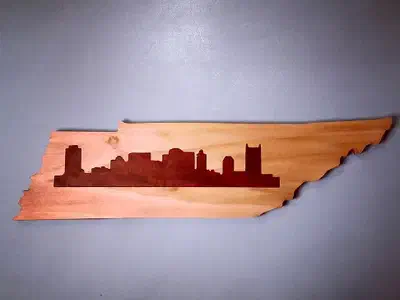 State with Skyline Inlayby Emory Buckner
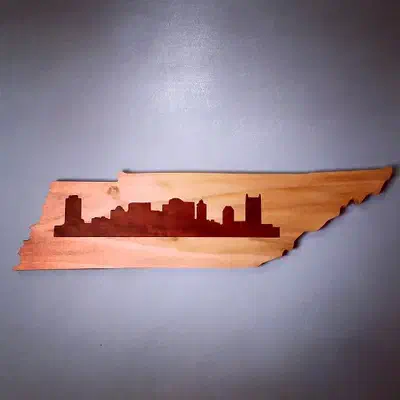
A Tennessee outline frames a dark Nashville skyline inlay. Emory Buckner uses poplar for the state-shaped base and walnut for the skyline, making a piece for a wall or desk.
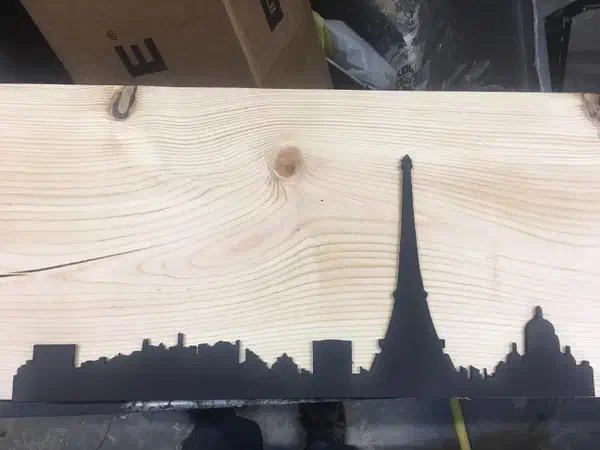 Paris Skyline Projectby Andrew Petzold
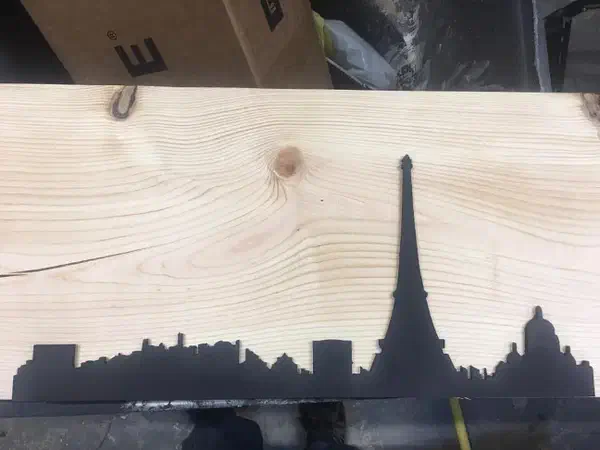
A dark cutout silhouette puts the Eiffel Tower at the center of a birch-plywood skyline.
See more city skyline projects →
Creating an Easel account is free. No credit card required.
Start with a real city and a view
The City Skyline app starts with a city and a vantage point, then builds the skyline to fit your material. The app can show building names and heights beside landmark towers, add the city name below the skyline, or give the design more depth with a second building layer. In views that support them, traced outlines and perspective give the skyline another look.
The gallery examples show how the same idea can become a carved sign, a wood inlay, or a free-standing silhouette. Open a project to see the maker’s notes and preview the Easel design before you make a copy.
The City Skyline app includes 60 cities. US views include Austin, Charleston, Charlotte, Cincinnati, Cleveland, Columbus, Denver, Detroit, Indianapolis, Kansas City, Minneapolis, New Orleans, Pittsburgh, Portland, Salt Lake City, and Wilmington. International views include Auckland, Barcelona, Budapest, Cape Town, Doha, Frankfurt, Istanbul, Manila, Melbourne, Mexico City, Moscow, Panama City, Prague, Rio de Janeiro, Seoul, Taipei, and Vancouver. Choose from the available vantage points for each city.
These are labeled design previews from the City Skyline composer, not photographs of finished CNC carvings. They show how a different viewpoint changes the landmarks and the silhouette:
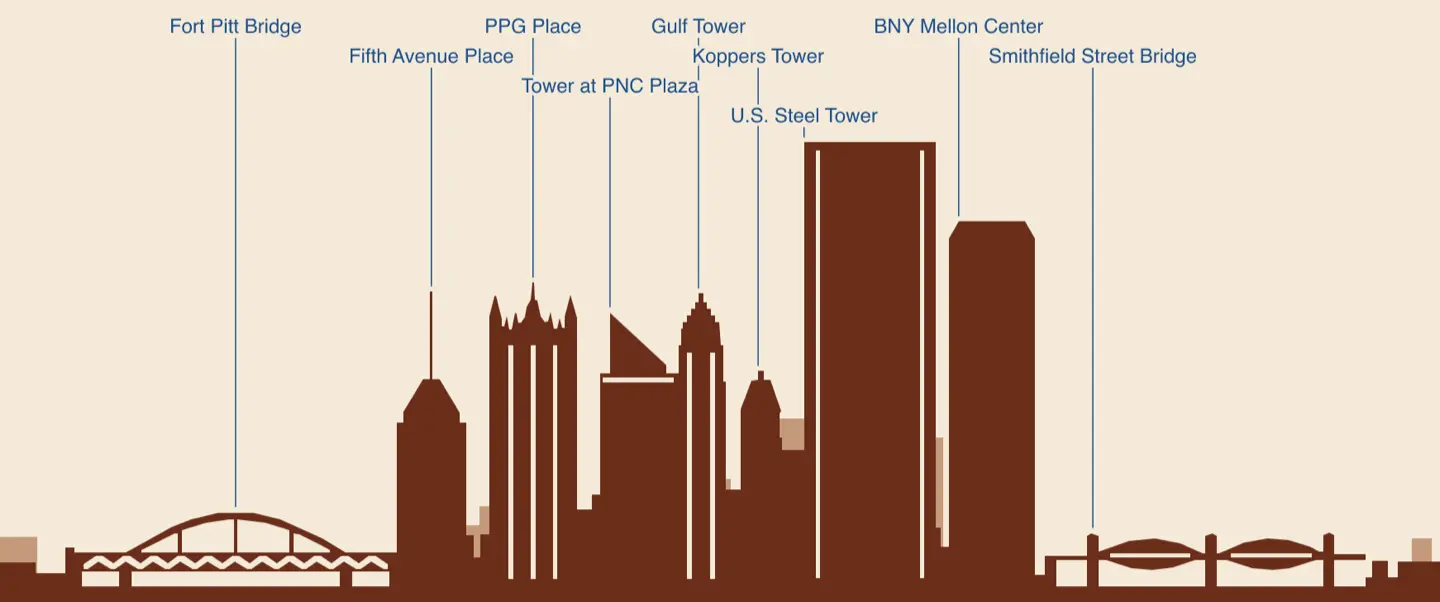 Pittsburgh from Mount Washington.
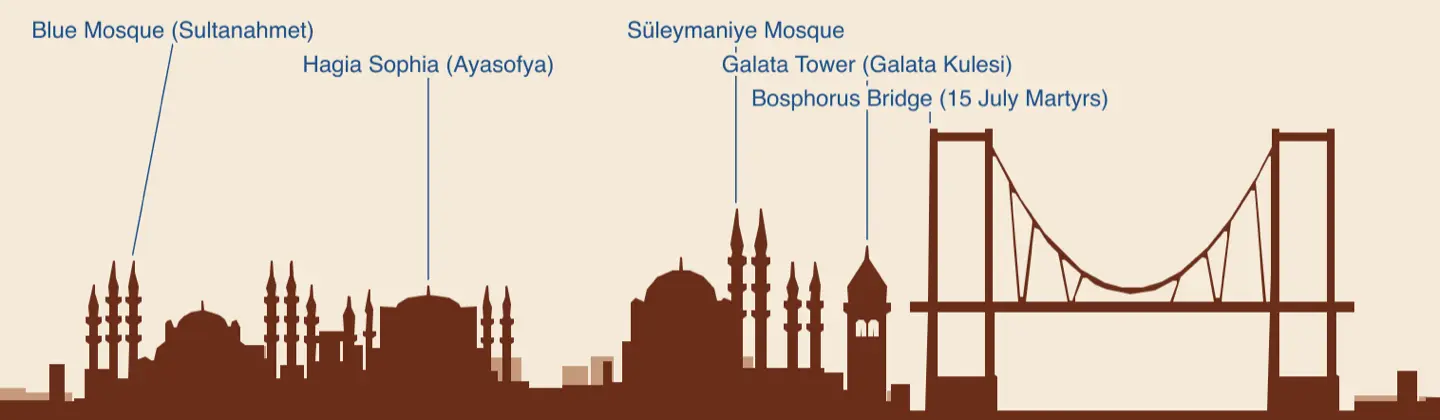 Istanbul from Çamlıca Hill.
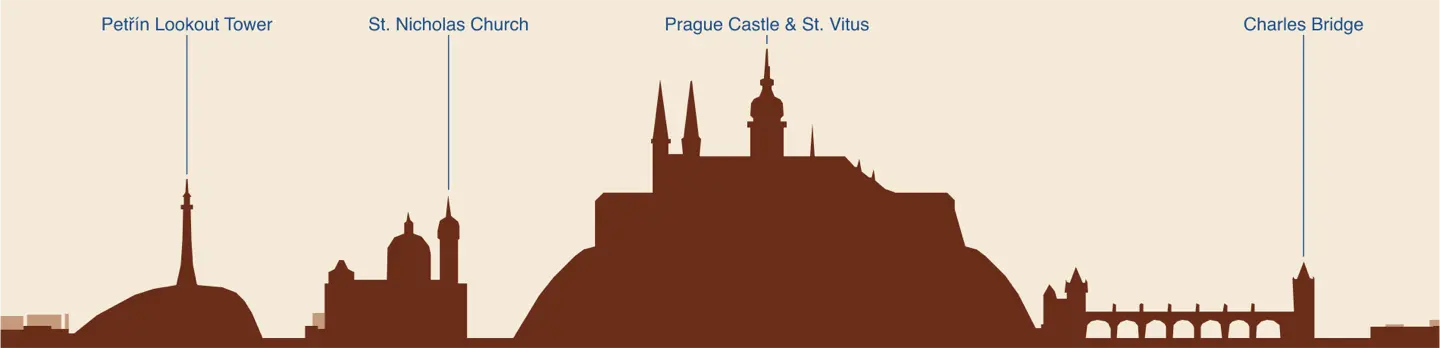 Prague from Smetana Embankment.
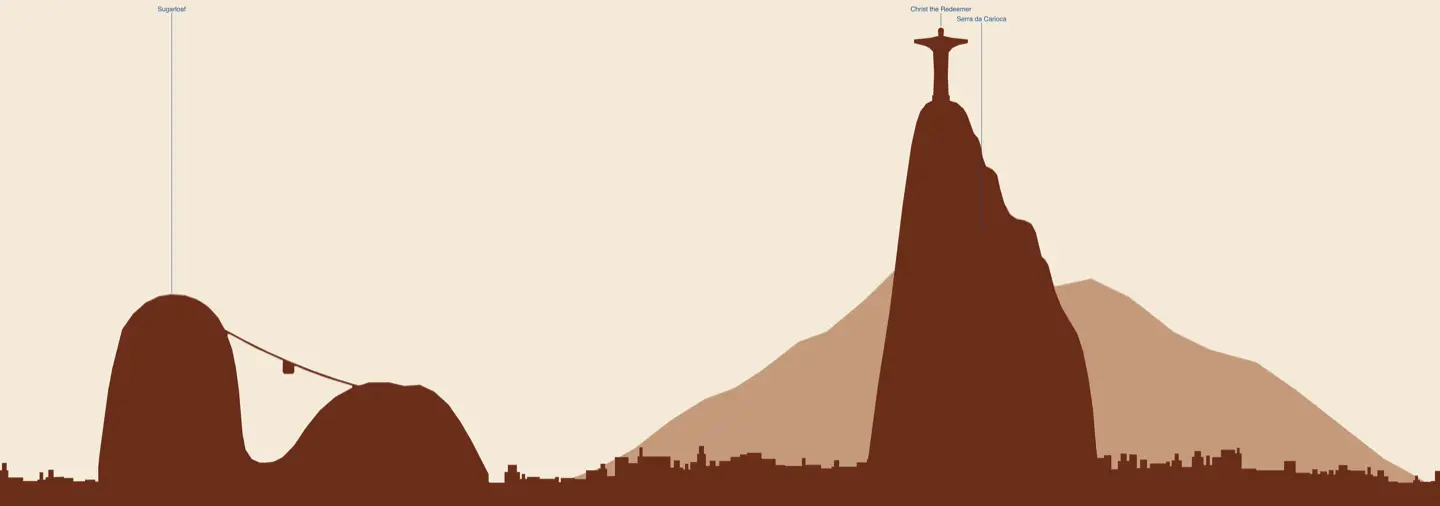 Rio de Janeiro from Botafogo.
Choose a filled silhouette when a city depends on a mountain backdrop: line art traces the front row of buildings but does not engrave backdrop mountains. Before carving, check the preview at your intended size for narrow gaps and readable landmark labels. The update also smooths hairline seams between nearby buildings in the generated designs.
A step-by-step walkthrough
Follow along as Easel's City Skyline app turns a city view into a carve-ready design, from choosing a view to importing it and checking the carve preview.
From the makers’ comments and project notes
Read the project comments without an account. Log in to post a question in the project discussion; replies are not guaranteed.
Emory Buckner uses an inside cut for the pocket in his poplar base and an outside cut for the walnut skyline insert. Those two choices put the cutter on opposite sides of the matching outlines. Use his project notes as the starting point for the paired cuts, then check the fit before finishing the piece.
Project notes by Emory Buckner: read the source.
From State with Skyline Inlay by Emory Buckner.
Ask a questionChoose a city view, adjust the skyline to your material, and prepare the carve in Easel. V-carving requires Pro.
Creating an Easel account is free. No credit card required.